


Confused About the Term "Collate" in Printing? Here's the Easiest Explanation!
Discover how premium packaging transforms your brand's perception and drives customer loyalty in today's competitive market.
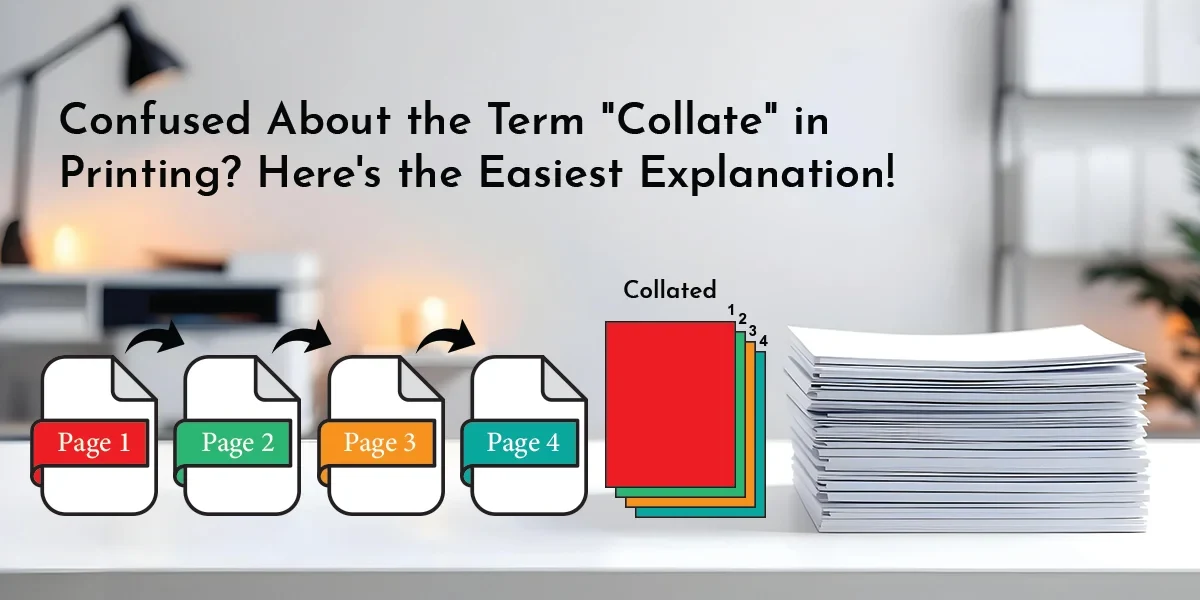
- Definition of the Term “Collate”
- Collated Printing
- What Does Collating in Printing Actually Mean?
- Collating involves organizing and assembling pages to ensure each set is correctly arranged and prepared for binding. For example, when you print a 12-page booklet, this term means each copy contains pages 1 through 12 in proper order.
- Collating also ensures your packaging partitions are correctly arranged and match the design. This is crucial for complex designs or multi-sided boxes.
- Common Collating Uses Every Packaging Brand Should Know
- Selecting the Right Printing Method: Collated or Uncollated
- What's the Difference Between Automatic and Manual Collating?
- Benefits of Collated Documents in the Packaging Industry
- Here are the advantages of collated documents for the packaging industry and the fields that can benefit:
- What are the Steps Involved in Enabling the Collate Feature on Your Printer?
- Nutshell!
When it comes to printing large quantities of pages, there’s no shortage of ways to go about it.
While many prefer traditional printing, others opt for “collated” pages. But what exactly is a collated page?
We’ve seen many misconceptions about the meaning of “collate” online. That’s why BoxLark is here to clarify the matter!
We specialize in providing clients with a range of printing equipment and supporting solutions and services. With many years of experience, we've learnt that our clients' printing needs vary greatly across industries.
In this blog post, we are going to explain the term "collate" in detail, including what it means, how to use it, its benefits, and how to enable it on printers. We have provided all the necessary information below, accompanied by explanations to facilitate understanding. This will help you develop a deep understanding of the field, whether you are new to packaging, printing, or another related area.
Before exploring the printing details, it is important to understand what collated printing means and why it is crucial to organize your printed documents and packaging materials.
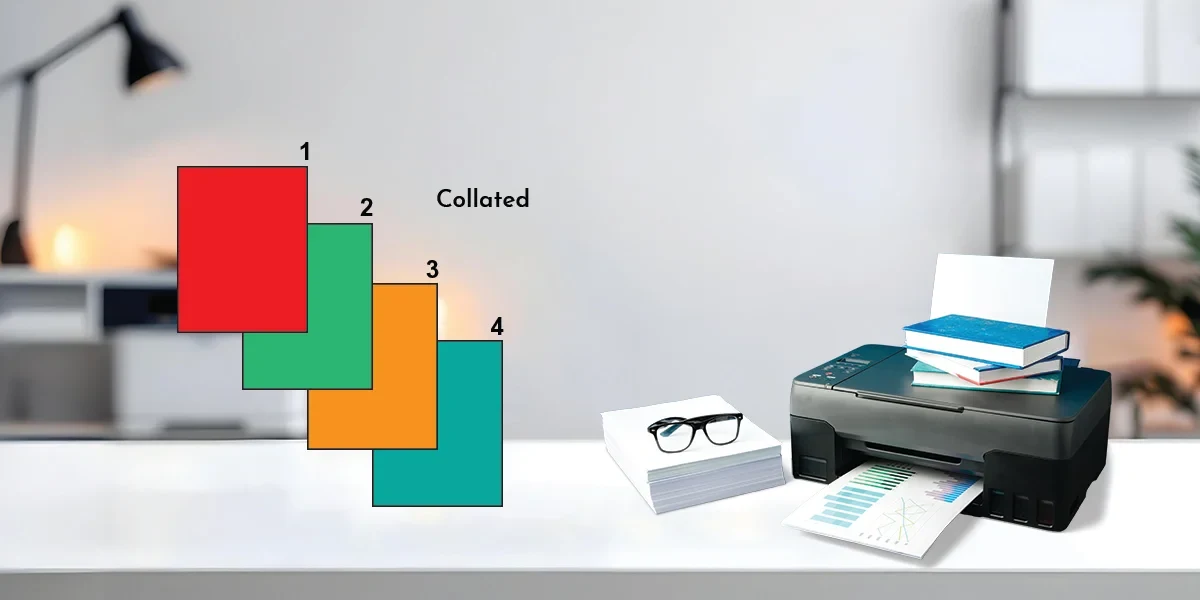
Definition of the Term “Collate”
Collation is the process of gathering and collecting necessary information. The information can be documents or texts.
Collated Printing
Collated printing is the process of printing documents systematically. Therefore, use this printing method to print a critical document in the correct order to facilitate receipt.
“Keep Your Pages Organized at All Times!”
Next, we’ll explore the practical meaning of collating in printing and why it’s essential for producing professional materials efficiently!
What Does Collating in Printing Actually Mean?
Collating involves organizing and assembling pages to ensure each set is correctly arranged and prepared for binding. For example, when you print a 12-page booklet, this term means each copy contains pages 1 through 12 in proper order.
Without collation, all copies of page 1 would print, then all copies of page 2, and so on. You would then be required to sort them yourself physically. Not only will this procedure save you time, but it will also enhance your business's productivity and workflow!
When printing folders, brochures, banners, or any custom packaging boxes, it is essential to understand the importance of collating. It should follow specific guidelines to ensure proper collation. The process is an essential step toward a professional finish.
Collating also ensures your packaging partitions are correctly arranged and match the design. This is crucial for complex designs or multi-sided boxes.
This term is more than just a printing option; it plays a significant role in day-to-day business. Here, we’ll look at real examples of how collating adds value, especially in offices and packaging workflows!
Click Here to Read More Relevant Blogs:
The Art of Selection: 9 Must-Consider Factors for Your Printed Packaging Designer
Common Collating Uses Every Packaging Brand Should Know
Collating may look simple, but it plays a massive role in keeping multi-page documents arranged. Below are clear use cases where collating adds real value, especially in offices, printing setups, and even custom packaging workflows.
Here are some applications of collation:
Print Reports
It ensures that each report is printed in the correct sequence, starting on page 1 and continuing to the final page.
It converts lengthy reports, research documents, and departmental summaries into easy-to-read and quick-reference materials.
Packaging Example: In preparing quality control reports or packaging specification sheets for clients, collation keeps pages in order so nothing gets mixed up.
Presentations
Keeps printed slide decks arranged in the exact sequence needed for meetings, pitches, and training sessions.
Prevents confusion during presentations caused by out-of-order pages.
Example: When printing pitch decks for packaging design proposals, collating helps your team present dielines, artwork previews, and cost breakdowns in the correct order.
Manuals, Instructions & Guides
Guarantees that the step-by-step instructions follow a coherent, logical progression.
Suitable for assembly instructions, product guides, and user manuals. And procedural handbooks.
Example: Brands often include “How to Use” cards or “Unboxing Instructions” inside custom packaging. Collating keeps each instruction set properly ordered before inserting them into boxes.
Invoices, Statements & Billing Documents
Group all pages related to a single customer into one complete set.
Reduces billing errors and maintains clarity in financial records.
Example: Collecting multiple pages of invoices, purchase order material lists, breakdowns, and shipping documentation for each customer set is an effective way to pack when mailing large purchases.
You should now be able to compare collated and uncollated printing to determine which option is best for your projects!
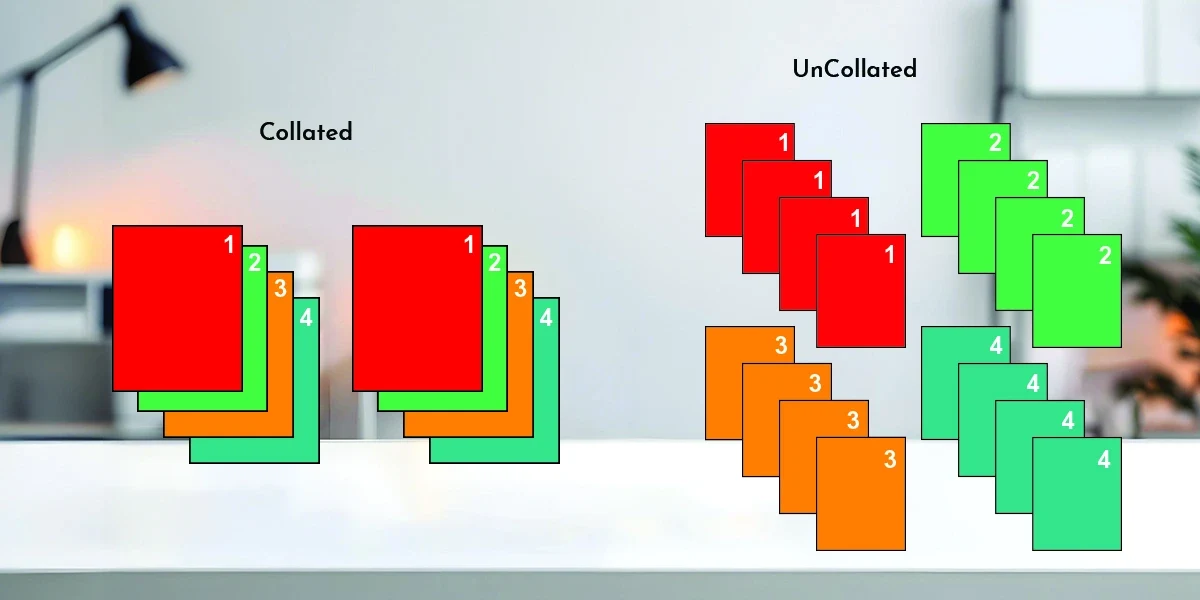
Selecting the Right Printing Method: Collated or Uncollated
'Collated' and 'uncollated' refer to the arrangement of printed material in a multi-page document.
Collated
When you collate the printed documents, you are placing the pages in order. Ideally, this procedure is done consecutively before binding. When you print a 10-page document using collation, the pages are printed in the following order: 1, 2, 3, 4, 5, 6, 7, 8, 9, 10.
Thus, you will have an effortless time using or reading the documents without having to reorder them repeatedly. One practical suggestion after collating the records is to archive each set in Kraft boxes. This keeps the pages in order and prevents the sheets from getting dirty, being crushed, or mixing with other papers. These boxes are environmentally friendly for sustainable storage, keep documents safe, and keep everything organized.
Uncollated
The printing materials are not collated, meaning they are not arranged in order. These documents are processed separately, with no set sequence. Printing the same 10-page document using the uncollated method involves arranging its pages in a random order: 3, 6, 1, 8, 4, 9, 2, 10, 5, 7. The documents require extra realignment or classification to enhance their readability and usability.
Some tasks are simple, while others require greater effort. This blog will also discuss the pros and cons of manual and automated collation and when to use each!
“Collating Explained in Seconds: An End to Confusion!”
What's the Difference Between Automatic and Manual Collating?
Some projects are simple, and others are complex. Here, we explain the difference between automatic and manual collating and when each is useful.
Automatic collation happens when most modern printers automatically arrange multi-page documents in the correct order, usually by selecting the “Collate” option before printing. This works best for documents printed on the same type of paper throughout.
Meanwhile, manual collation is required when your printed project includes multiple page types, such as divider sheets, inserts, or specialty paper. Sometimes this means you must run your print batches in different runs. You need to run one batch for ordinary pages and another for special pages and then manually arrange them.
For instance, after printing, a training manual with chapter separators or colored insert pages often needs to be manually compiled. Some modern printers also allow users to specify instructions for removing paper from different trays. This facilitates automated stock mixing. You should check whether this option is possible in your printer's settings or user guide.
Understanding automatic and manual collation will help you to create better-organized papers, especially when working with customized print materials and package inserts.
So why should you care about collating? Let’s look at the key benefits it brings to the packaging industry, from faster workflows to error-free assembly!
Read More:
What is Foil Stamping in Printing? Why Is It Worth Using?
Understanding the Basics of RGB and CMYK Color Models for Box Designs
Benefits of Collated Documents in the Packaging Industry
Here are the advantages of collated documents for the packaging industry and the fields that can benefit:
Faster Production Workflow
Collated printing ensures that every multi-page insert, dieline, or instruction sheet comes out as a ready-to-use set. This reduces sorting time and speeds up packaging assembly, especially when packing thousands of boxes daily.
Assembly of Packaging Without Errors
Appropriately collating panels, instructions, and PI sheets significantly reduces the likelihood of combining the wrong papers with the wrong boxes. This helps businesses keep costs down and prevent mistakes such as mislabelling or repackaging, ensuring accuracy.
Professional and Consistent Brand Presentation
Collation helps keep all informational inserts uniform. Whether it’s care guides, brand stories, or promotional coupons, each packaging box receives the same clean, professionally ordered set, improving the customer experience.
Superior Quality Control
For companies printing samples, dielines, or prototype packaging, collated sets make it easier to review multiple elements together. This helps QC teams compare layouts, catch errors early, and approve designs faster.
Reduced Labor Costs
Manual sorting takes time and human resources. Collated printing eliminates most of that labour, allowing packaging teams to focus on production rather than document organization.
Suitable for Multi-Component Packaging
Sets are collated when a product has multiple printed parts, such as electronics, toys, makeup, and drug kits. All components are delivered to each box in the right sequence, without delay or misunderstandings, when sets are collated.
If you're ready to print, organize your ready-to-use documents. Here, we'll guide you through enabling collating on your printer!
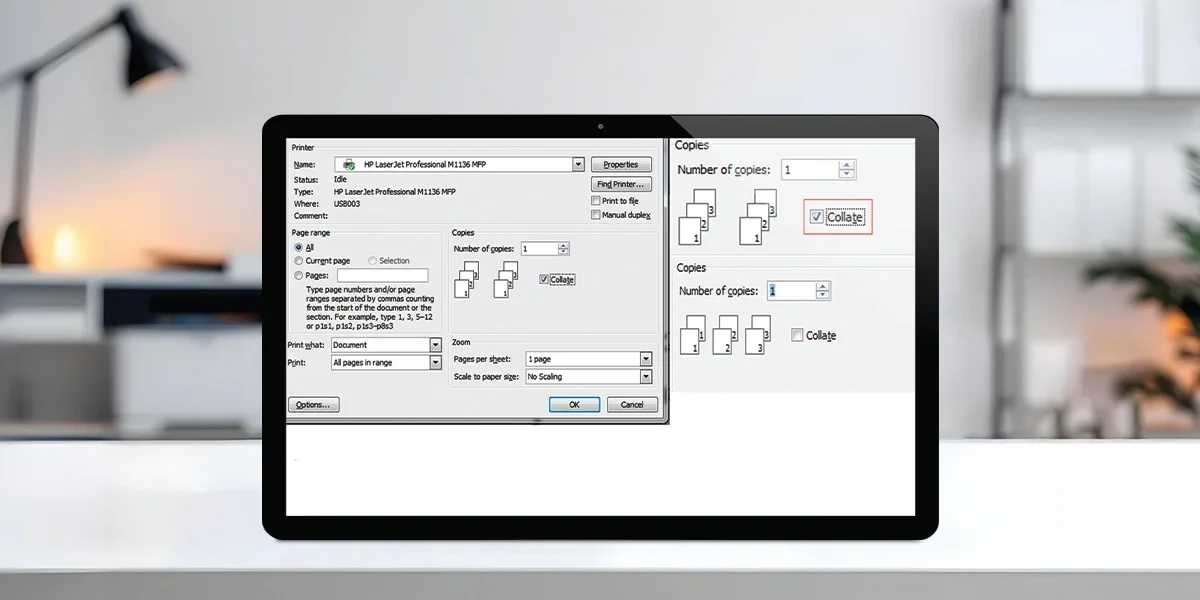
What are the Steps Involved in Enabling the Collate Feature on Your Printer?
Below are the steps you can follow to turn on collation for the printers:
Open the file you would like to print.
Click "File" at the top left corner or press Ctrl + P to access the "Print" settings.
Select 'Printer' from the dropdown menu, then select your preferred device. To change print options, click on "Properties" or "Settings".
Layout options can be found under sections like "Finishing", "Page Layout", or "Advanced".
Please select "Collate" or "Automatic Collation" to ensure the printer arranges the pages properly.
Double-check that all settings are appropriate. Tap 'Print Preview' to see a preview of the page order.
When you hit "Print", the printer will automatically start collating.
Verify the page sequence after printing to make sure everything is positioned correctly.
Keep in mind, printers collate by default. Double-check the collation to ensure it is as you would like it before printing.
Last but not least, let's wrap up this blog!
Nutshell!
Whether you're dealing with a large number of pages, specific instructions, or made-to-order product packaging, knowing how to collate can help you produce polished, organized, and visually appealing printed documents. This technique of collated printing saves time and work, among many other advantages. Because it supports brand consistency, maximizes overall operational performance, and enhances brand visibility, this solution is ideal for businesses managing large-scale packaging projects.
At BoxLark, we simplify printing and packaging, making them affordable and reliable through a range of options. As a leading box manufacturer in the USA, we understand the packaging industry well. Our advanced printing techniques, tools, expert support, and custom solutions ensure your projects, whether it's a multi-page insert or a custom box, are always well-ordered and visually appealing. We stay current by continuously learning and sharing fresh content about printing and packaging terminology.
Are you prepared to streamline your printing process and produce perfect packaging? Visit our website now for a free quote and elevate your custom-printed packaging!